How Many Cold Emails Should I Send Per Day? 2026 Guide
Short answer
- New mailboxes should usually start around 10 to 20 emails per day.
- After warm-up, many teams operate safely around 30 to 75 emails per mailbox per day.
- Pushing toward 100 per mailbox raises risk fast unless infrastructure and list quality are excellent.
- Scale by adding mailboxes and domains, not by forcing more volume through one inbox.
The phrase how many cold emails should I send per day has strong search demand because it sits right at the intersection of growth and risk. Founders want more pipeline, but inbox providers care about sender behavior, complaint rates, authentication, and recipient engagement. Before pushing volume, make sure your setup passes the deliverability checklist.
That means there is no universal number. Provider sending limits are not the same thing as safe cold-email limits. Just because an inbox can technically send more does not mean your domain should.
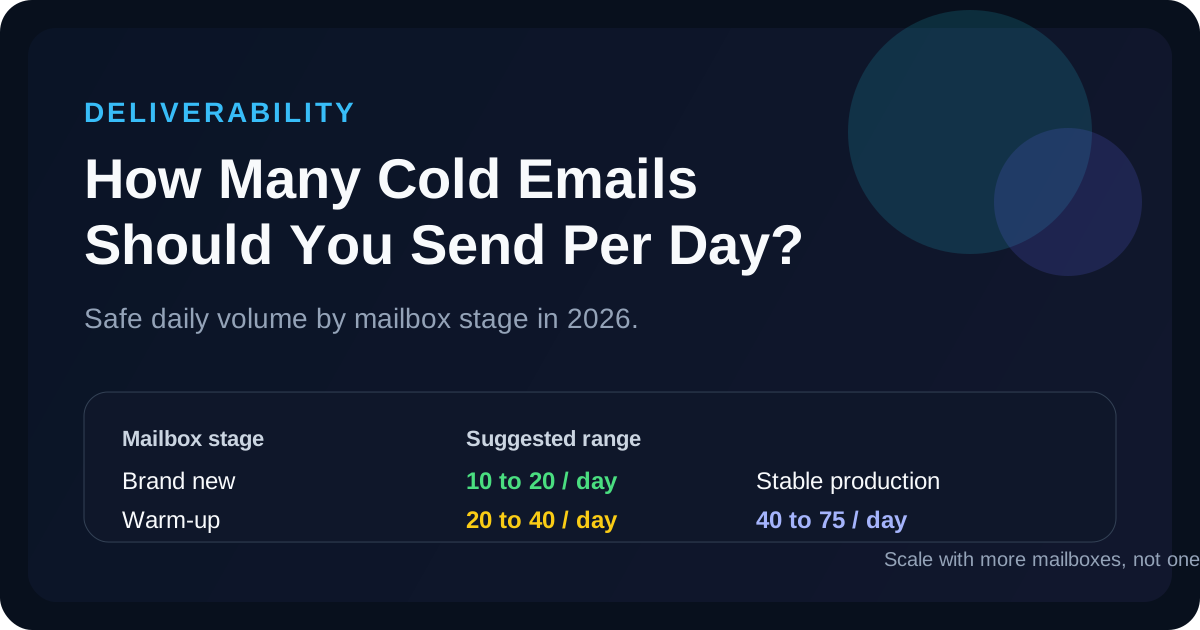
Recommended daily volume by mailbox stage
| Mailbox stage | Suggested range | What to watch |
|---|---|---|
| Brand-new mailbox | 10 to 20 per day | Authentication, bounce rate, early engagement |
| Warm-up phase | 20 to 40 per day | Complaint spikes, domain health, reply quality |
| Stable production | 40 to 75 per day | Consistency, list quality, inbox placement |
| High-output setup | 75 to 100 per day | Only with strong infrastructure and monitoring |
Current 2026 ranking pages cluster around similar guidance: start low, ramp gradually, and treat 50 to 100 emails per mailbox as the outer edge rather than the default target. In other words, if you are asking for a single number, the safer answer is usually closer to quality first, volume second.
Why daily send volume matters so much
1. Volume changes sender reputation
If you jump from 10 daily sends to 100 overnight, mailbox providers treat that as suspicious behavior. Even if your copy is good, your deliverability can collapse before you get enough data to learn anything useful.
2. Volume amplifies list problems
A weak list at 20 sends per day is a small problem. The same list at 100 sends per day becomes a domain problem. Every bad address, irrelevant contact, and spam complaint compounds faster. If you are already seeing poor engagement, compare the campaign against the reply-rate benchmarks before scaling.
3. Volume can hide the real issue
Many teams send more because replies are low. That is backwards. If replies are low, fix targeting or messaging first. More volume just burns more reputation on a broken sequence.
Safer scaling rule: increase volume only after your bounce rate, complaint rate, and reply quality stay stable for at least a week.
How to scale without hurting deliverability
- Use multiple mailboxes instead of overloading one sender.
- Warm up new inboxes gradually rather than launching at full volume.
- Verify addresses before sending.
- Keep copy short, plain-text leaning, and relevant to the recipient.
- Pause scale-ups if reply quality falls or bounce rate rises.
What numbers should you monitor every day?
- Bounce rate: if it climbs, slow down immediately.
- Total reply rate: tells you whether the campaign is commercially alive.
- Positive reply rate: tells you whether the right people are engaging.
- Spam complaints: even a handful can create outsized damage.
Use volume and funnel math together
The right sending volume depends on whether the funnel is already converting. If 50 daily emails at a 6% reply rate are producing opportunities, there may be no reason to double volume yet. If 80 daily emails are producing almost no replies, the problem is not scale. It is fit.
Run those numbers through the ColdMailCalculator before you scale. It is easier to protect a healthy funnel than to recover a burned domain. If messaging quality is still a question, pair this page with subject-line guidance and benchmark your reply rate separately.
Model the tradeoff before you increase send volume
Use the calculator to see how daily volume, open rate, and reply rate interact before you add more mailboxes or domains.
Use the CalculatorFAQ
Can I send 100 cold emails per day from one mailbox?
Sometimes, but it is not the safest default. That range is better treated as an upper limit for a healthy, warmed, well-monitored setup.
Is the safe limit per domain or per mailbox?
Operationally, teams usually think in terms of per mailbox, but domain reputation still matters across the whole setup.
Should follow-ups count toward my daily limit?
Yes. Mailbox providers see total sending behavior, not just first-touch emails.