Cold Email Prospect List: Build Campaign-Ready CSV Leads
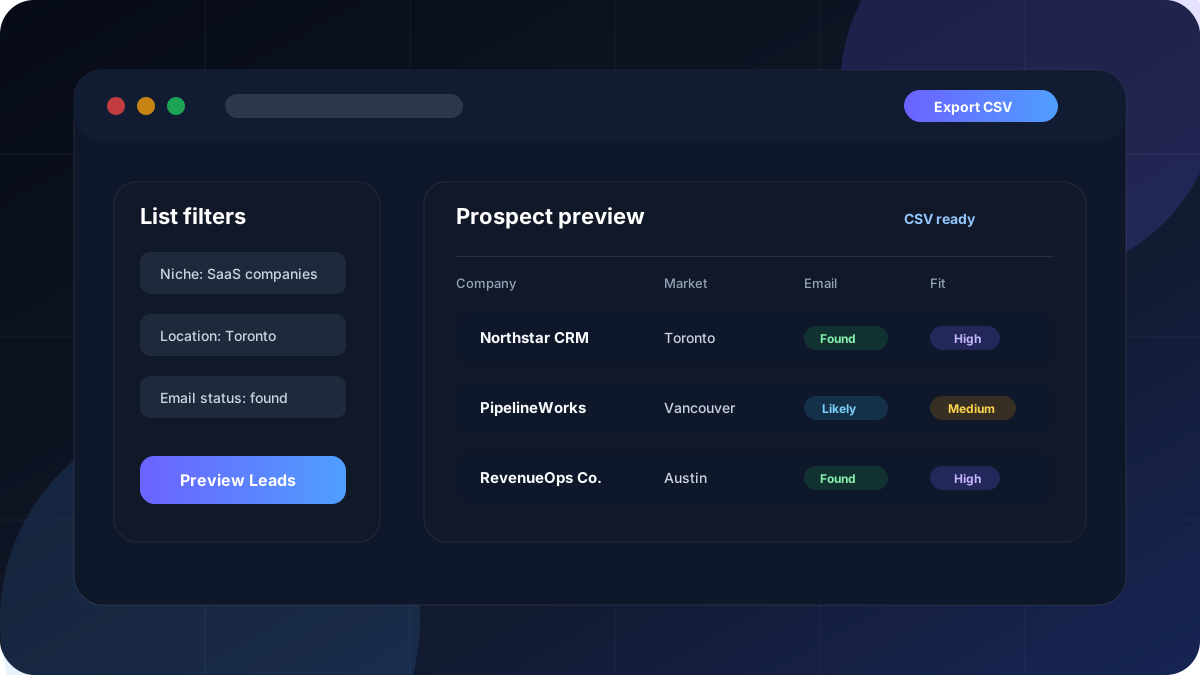
A cold email prospect list is more than a spreadsheet. It is the foundation of the campaign. If the list is too broad, outdated, hard to personalize, or full of weak-fit companies, the campaign starts at a disadvantage before any subject line is written.
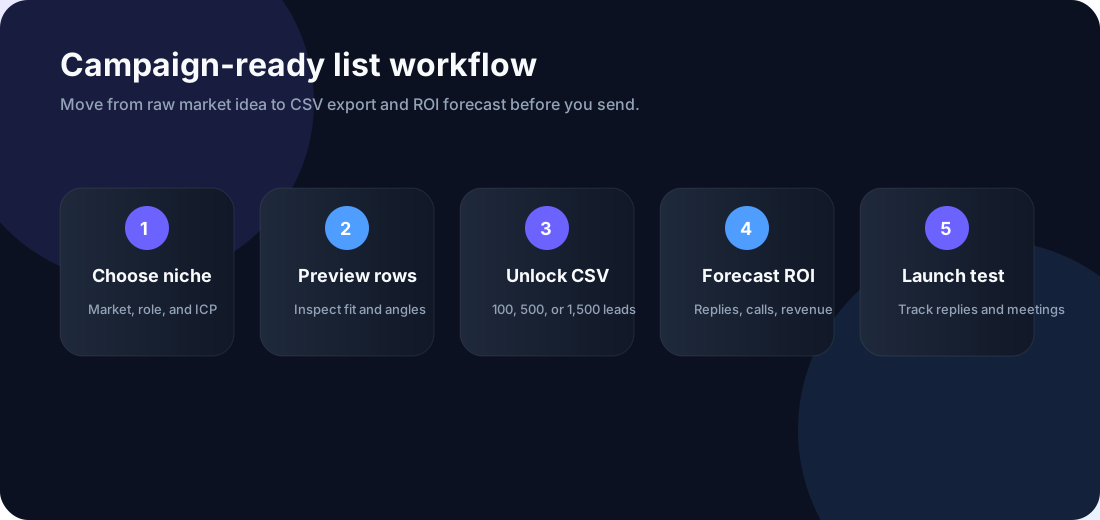
The best outbound teams treat list building as a workflow: define the buyer, choose the market, apply filters, preview lead quality, unlock a CSV, and forecast the campaign economics before sending. That workflow helps agencies and sales teams avoid random prospecting and focus on lists that can become replies, booked calls, customers, and revenue.
Build your next prospect list
Search by niche and location, preview sample leads, unlock a CSV, and calculate expected ROI before you send.
What is a cold email prospect list?
A cold email prospect list is a structured set of companies or contacts that match a specific outbound campaign. The keyword is specific. A list of "all businesses in Canada" is not a campaign-ready list. A list of "Toronto SaaS companies with public websites and sales hiring signals" is much closer.
Good lists usually include business name, category, location, website, public contact status, phone where available, source, lead fit, and an outreach angle. The outreach angle is what turns a row into a useful sales starting point. It explains why the prospect might care about your offer.
For example, a web design agency may build a list of roofers with weak websites. A sales consultant may build a list of B2B SaaS companies hiring account executives. A recruiter may build a list of firms in a certain city and industry. Each list has different filters, different copy, and different campaign math.
Why list quality matters more than volume
Many teams think the answer to poor cold email performance is more leads. Usually, the better first move is a better list. A thousand weak-fit prospects can create more bounces, more negative replies, more wasted send volume, and worse sales follow-up. A smaller list with a clear ICP can be easier to personalize and easier to measure.
List quality affects every metric downstream: delivery rate, reply rate, positive reply rate, booked call rate, close rate, and revenue per campaign. If the wrong companies receive the message, the campaign will struggle even if the email copy looks polished.
This is why ColdMailCalculator connects prospecting to forecasting. After you build a list, you can use the calculator to model how many replies and booked calls the list must produce to break even.
Broad targeting, unclear buyer, stale companies, no useful outreach angle.
Narrow ICP, clear market, visible business context, and a reason to reach out.
Chasing volume before proving the niche, offer, and positive reply quality.
Preview leads, unlock CSV only when the fit is clear, then forecast ROI.
What should your prospect CSV include?
A campaign-ready CSV should be easy to review before it enters any outreach tool. It should help a strategist, founder, or appointment setter understand the list without opening every source manually.
| CSV field | Why it matters | How to use it |
|---|---|---|
| Company name | Identifies the account | Use for CRM import and personalization |
| Category or niche | Confirms campaign fit | Segment by industry or offer |
| Location | Supports regional campaigns | Personalize by city, state, or country |
| Website | Gives business context | Review offer fit and landing page quality |
| Email status | Clarifies contact availability | Do not assume every lead has a verified email |
| Lead fit | Helps prioritize review | Start with high-fit accounts |
| Outreach angle | Turns data into a message | Write a more relevant opener |
How to build a cold email prospect list
Start with the offer, not the database. Ask: who has the problem, who can buy, what market is reachable, and what signal would make the message feel relevant? Once that is clear, build the list around the campaign.
- Choose a narrow niche. Pick one buyer group such as SaaS companies, marketing agencies, dentists, roofers, lawyers, accountants, or ecommerce brands.
- Choose a market. Start with one city, region, country, or company segment so the campaign is easier to measure.
- Preview lead rows. Review sample companies before paying for a CSV. Look for fit, context, and usable fields.
- Unlock the right list size. Start with 100 leads for a test, then scale to 500 or 1,500 after the niche proves useful.
- Forecast before sending. Model reply rate, positive reply rate, booking rate, close rate, average deal value, and campaign cost.
Preview before you buy the CSV
The Cold Email Lead Generator is built for market testing. Preview sample rows first, then unlock the CSV when the list fits your campaign.
How many prospects should you start with?
If you are testing a new niche, start smaller than you think. A 100-prospect list can reveal whether the buyer type, offer, and outreach angle are worth scaling. If the list looks weak at 100 rows, a bigger export will usually create a bigger problem.
Once you see positive replies and booked calls, move to 500 prospects. If the economics work after multiple tests, scale to 1,500 prospects and refine the campaign by segment. This keeps cost and risk controlled while still giving you enough data to learn.
Do not judge a list only by email count. A list with fewer contacts but better fit may beat a larger list with poor targeting. The goal is not to own the biggest spreadsheet. The goal is to create qualified conversations at a cost that makes sense.
Where ROI forecasting fits in
After the CSV is ready, forecast the campaign before sending. Use conservative assumptions for delivery rate, reply rate, positive reply rate, booking rate, close rate, average deal value, and campaign cost. Then check the break-even point.
If 100 prospects cannot realistically create enough pipeline to justify the campaign, change the niche, offer, price point, or list size. If the math works, the team can send with clearer expectations and better reporting.
For agency work, this is especially useful. Instead of promising replies, you can show the client low, base, and high scenarios. That makes the conversation about campaign economics instead of wishful thinking.
| List size | Best use case | What to learn |
|---|---|---|
| 100 prospects | Niche validation | Does the market and offer deserve more testing? |
| 500 prospects | Focused campaign | Are replies and booked calls consistent enough? |
| 1,500 prospects | Scaled outreach | Can the team maintain quality while increasing volume? |
Cold email prospect list vs buying a random list
Buying a random lead list can feel faster, but it often creates cleanup work. Generic lists may not match your ICP, may include poor-fit companies, and may not include enough context for personalization. You still have to inspect, segment, and forecast the campaign.
A better workflow is to build a list around a specific hypothesis. For example: "web design agencies in Vancouver," "roofing companies in Dallas," "SaaS companies in Toronto," or "marketing agencies in Miami." That creates a cleaner path from data to message to ROI forecast.
For social-first niches, pair this with the Instagram Prospect Finder. For B2B company lists and CSV exports, start with the Cold Email Lead Generator.
Responsible use and compliance
Cold email prospect lists should be used responsibly. Results are intended for B2B research and prospecting. Users are responsible for following platform rules, privacy laws, and anti-spam regulations.
Do not use a list to spam. Do not claim private data access. Do not promise guaranteed replies, deliverability, meetings, or revenue. Review the list, remove bad fits, personalize responsibly, and make opt-out easy where required.
FAQ
What is a cold email prospect list?
It is a structured list of companies or contacts that match a specific outbound campaign.
Can I export prospects as CSV?
Yes. The Cold Email Lead Generator is built around previewing lead rows and unlocking CSV exports.
Does every prospect include an email?
No. Contact availability varies. Email status should be labeled clearly and reviewed before outreach.
How many prospects should I start with?
Start with 100 prospects when testing a new niche, then scale after reply quality and campaign math look promising.
Can I calculate ROI after exporting a list?
Yes. Use ColdMailCalculator to forecast replies, booked calls, clients, revenue, profit, cost per meeting, and break-even point.
Build the list, then model the campaign
Generate a prospect preview, unlock CSV access, and use the calculator to estimate profit before sending.
Results are intended for B2B research and prospecting. Users are responsible for following platform rules, privacy laws, and anti-spam regulations.