Planning guide
Cold Email Domain Setup Checklist
A domain setup checklist for cold email teams that need clean authentication, safe volume planning, and practical launch review.
Last updated July 9, 2026 · ColdMailCalculator, operated by Wade Digital
The short answer
A cold email domain setup should include authentication, mailbox setup, sender identity, volume limits, monitoring, and a fallback plan if risk signals rise. It should be reviewed before campaign copy is approved.
Domain setup is not a growth hack. It is basic operating hygiene for any team sending outreach.
Core setup items
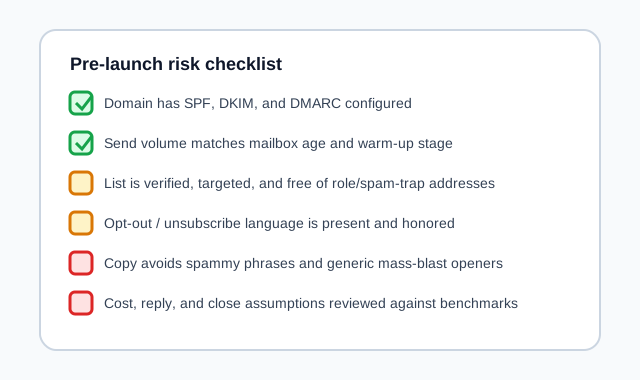
Confirm SPF, DKIM, and DMARC are configured, the sender identity is accurate, the mailbox can receive replies, and the planned daily volume is conservative for the account age and risk profile.
Document which domain and mailbox belong to which campaign so performance problems can be traced back to a source.
Launch review
Before launch, check the list source, verification status, suppression list, unsubscribe handling, copy risk, and initial send wave size. A domain with clean authentication can still be damaged by poor campaign operations.
Domain setup checklist
- SPF, DKIM, and DMARC are configured.
- Sender name and reply address are accurate.
- Mailbox can receive and route replies.
- Volume caps are documented.
- Domain and mailbox performance are monitored by campaign.
Common mistakes
- Using a new domain at high volume immediately.
- Sending before reply routing is tested.
- Mixing unrelated campaigns through the same inbox without tracking.
- Assuming authentication alone solves deliverability.
Frequently asked questions
What records are needed for cold email domain setup?
Teams commonly review SPF, DKIM, and DMARC, along with sender identity and reply routing.
Should I use my main company domain?
Many teams separate outreach infrastructure from core business email to reduce operational risk. Choose a setup with professional guidance where needed.
What should I monitor by domain?
Monitor bounces, complaints, replies, positive replies, opt-outs, and performance by list source.
Related pages
Related guides
Put this into your own numbers
This article is educational planning content, not guaranteed results, legal advice, or compliance advice. Use the calculator to model your own assumptions.
Estimates are based on user-provided assumptions and are not guaranteed. See the disclaimer for details.