How to Forecast Cold Email ROI Before Launching a Campaign
Most cold email campaigns are launched without any forecast of what they will produce. The team picks a send volume, hopes for replies, and measures results after the campaign ends. A better approach is to forecast ROI before you send — so you know whether the campaign math works before investing time and budget.
Short answer
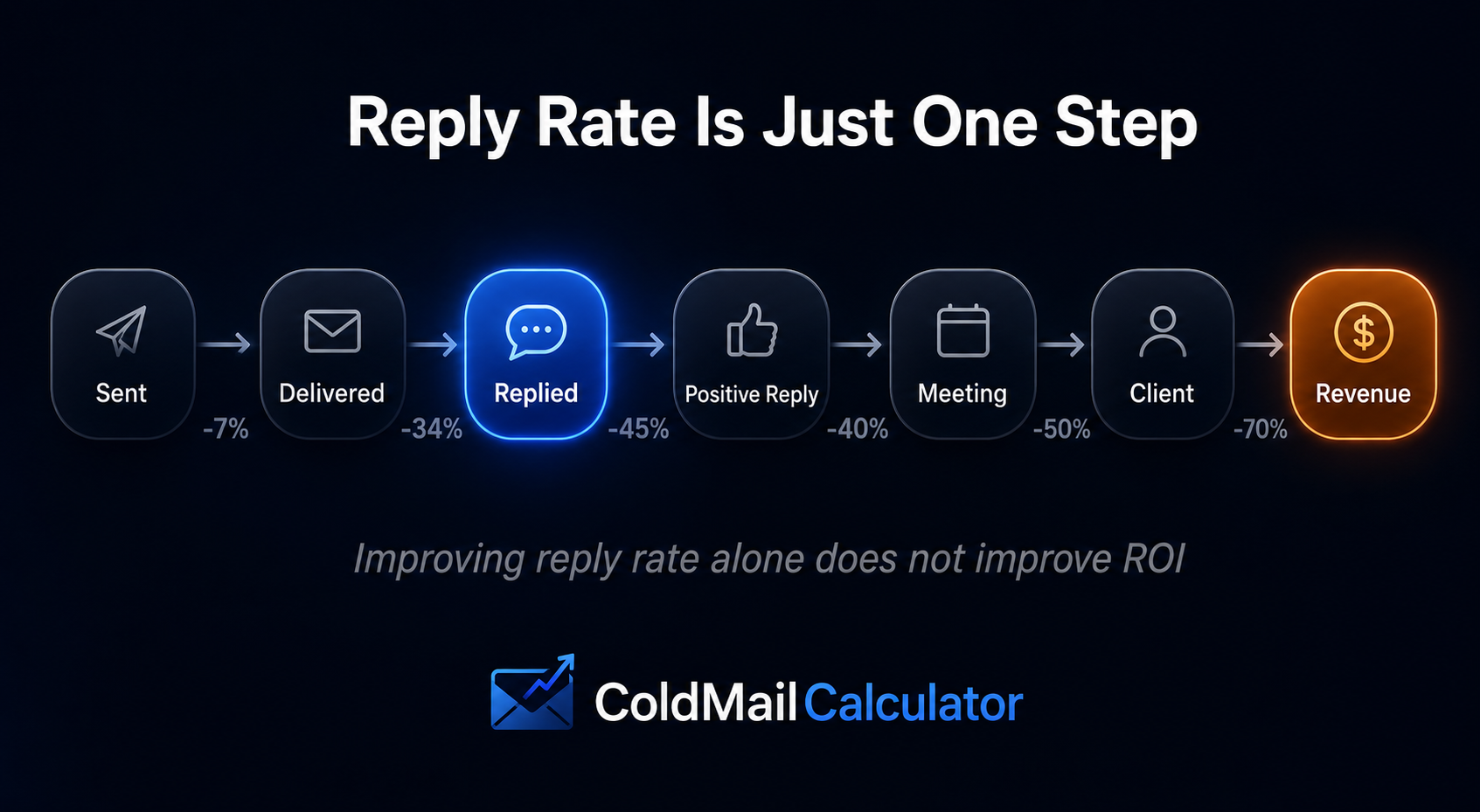
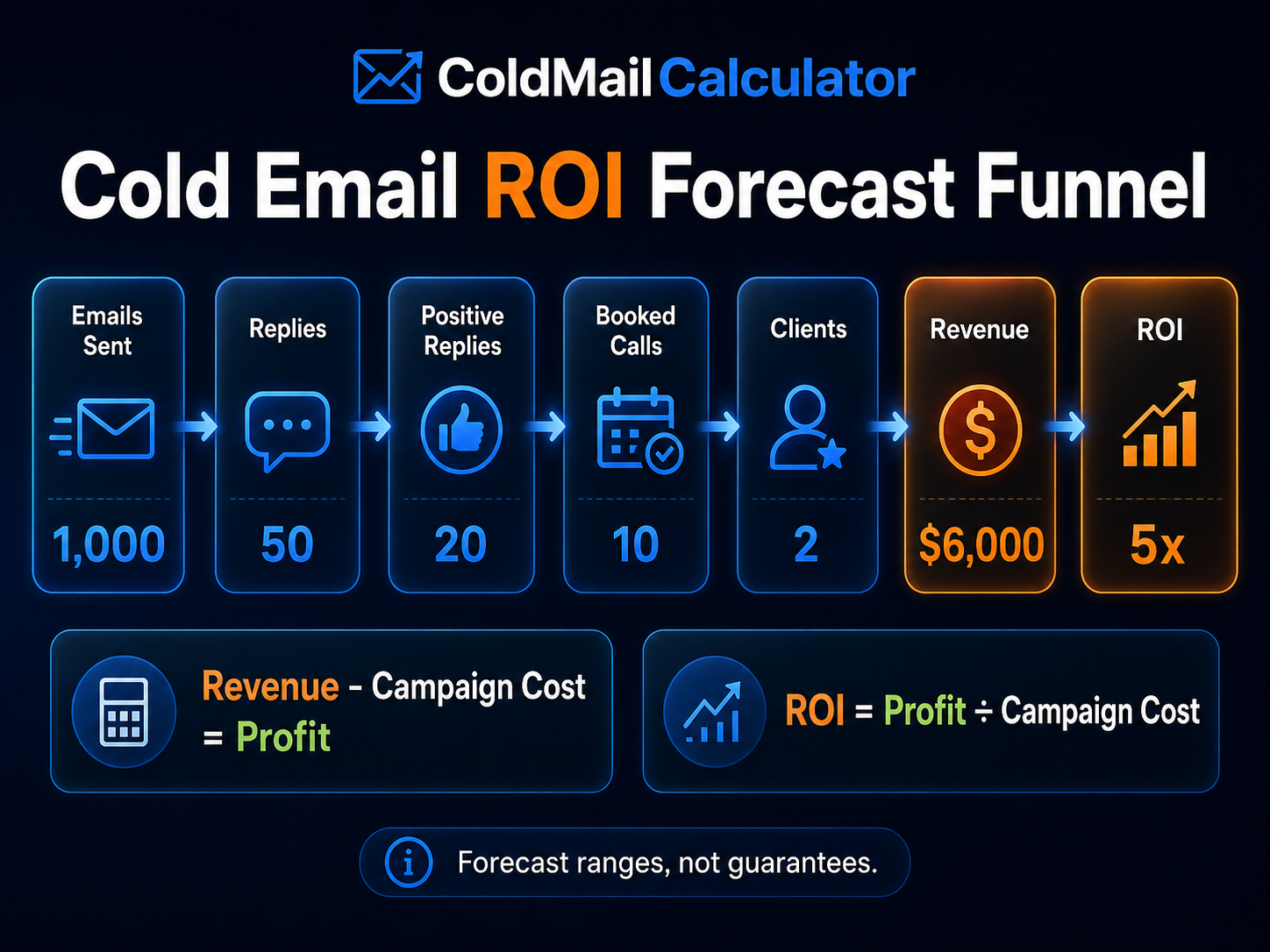
To forecast cold email ROI before launching, estimate each step of the funnel: delivered emails → replies → positive replies → meetings → clients → revenue. Then compare the estimated revenue against campaign cost. You can do this manually with formulas, use a free calculator, or call the ColdMail API from your own tool.
Forecasts are estimates based on your assumptions. Actual results will vary based on targeting, offer, timing, list quality, and sales execution.
Why Forecast ROI Before Launching?
Forecasting before launching helps you answer basic questions:
- Will this campaign likely be profitable?
- How many meetings do I need to book to break even?
- What is my estimated cost per meeting and cost per client?
- Is cold email the right channel for this offer, or should I invest elsewhere?
- What happens if my reply rate is lower than expected?
Without a forecast, you are making budget decisions based on hope. With a forecast, you are making budget decisions based on math.
The Cold Email ROI Formula
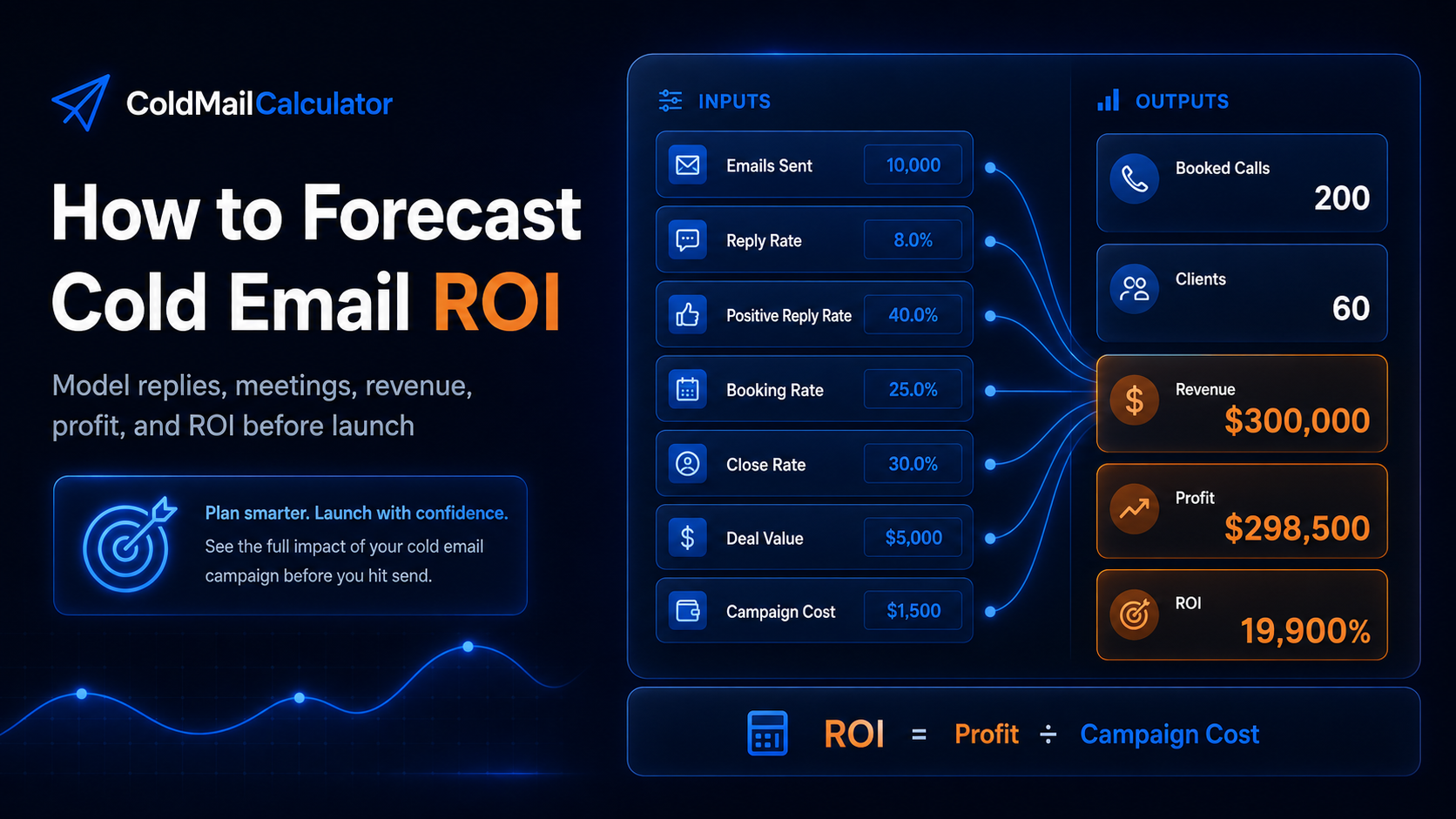
Cold email ROI forecasting follows a straightforward conversion funnel. Each step narrows the volume, and the final step produces revenue:
Funnel step 1
Funnel step 2
Funnel step 3
Funnel step 4
Funnel step 5
Funnel step 6
ROI
Enter each rate as a decimal. For example, 5% becomes 0.05.
Example: Forecasting a 5,000-Email Campaign
Let us walk through a realistic example. A B2B SaaS company plans to send 5,000 cold emails with these assumptions:
Campaign assumptions
| Metric | Example value |
|---|---|
| Emails sent | 5,000 |
| Delivery rate | 95% |
| Reply rate | 5% |
| Positive reply rate | 30% |
| Meeting booking rate | 20% |
| Close rate | 25% |
| Average deal value | $2,500 |
| Campaign cost | $600 |
Forecasted results
| Forecast output | Example result |
|---|---|
| Delivered emails | 4,750 |
| Estimated replies | 238 |
| Positive replies | 71 |
| Estimated meetings | 14 |
| Estimated clients | 3.6 |
| Estimated revenue | $8,906 |
| ROI | ~14.8x |
| Cost per meeting | $42 |
| Cost per client | $169 |
In this scenario, the campaign math works. Even if actual results are 50% lower, the campaign still projects positive ROI. That is the kind of question forecasting helps you answer before spending money.
Using a Calculator or API
You do not need to build this math from scratch. Several options exist:
- Free web calculator — Enter numbers and see instant results on the homepage
- Agency ROI calculator — Designed for agencies forecasting multiple client campaigns
- Cost per meeting calculator — Focuses on meeting cost and break-even analysis
- ColdMail API — Programmatic forecasting for tools, dashboards, and CRMs
Automating ROI Forecasting with the ColdMail API
If you are building a sales tool, agency dashboard, or CRM feature, you can integrate cold email ROI forecasting directly into your product. The ColdMail API accepts campaign inputs and returns a practical forecast including replies, positive replies, booked calls, revenue, profit, and ROI.
Here is how a JavaScript integration looks:
const response = await fetch("https://www.coldmailcalculator.com/api/v1/coldmail/roi", {
  method: "POST",
  headers: {
    "Content-Type": "application/json",
    "x-api-key": "YOUR_API_KEY"
  },
  body: JSON.stringify({
    emails_sent: 5000,
    reply_rate: 5,
    positive_reply_rate: 30,
    booking_rate: 20,
    close_rate: 25,
    average_deal_value: 2500,
    monthly_tool_cost: 300,
    sending_infrastructure_cost: 300
  })
});

const data = await response.json();
// data.replies, data.positive_replies, data.booked_calls, data.estimated_revenue, data.estimated_profit, data.roi
Forecasting Different Scenarios
One of the most useful things about ROI forecasting is comparing scenarios side by side:
Scenario comparison (5,000 emails sent)
| Metric | Conservative | Moderate | Optimistic |
|---|---|---|---|
| Reply rate | 3% | 5% | 8% |
| Meetings | 9 | 14 | 23 |
| Clients | 2.1 | 3.6 | 5.7 |
| Revenue | $5,344 | $8,906 | $14,250 |
| ROI | 8.9x | 14.8x | 23.8x |
Running multiple scenarios helps you understand the range of possible outcomes — and whether the campaign still works in a conservative case.
Common Forecasting Mistakes
- Using reply rate as the only metric — Replies alone do not produce revenue. You need positive replies, meetings, and closed clients.
- Ignoring delivery rate — If only 80% of emails reach inboxes, your effective volume drops significantly.
- Optimistic assumptions — Forecasting with best-case rates produces misleading ROI projections. Use conservative numbers.
- Forgetting campaign cost — ROI needs a cost denominator. Include tools, data, labor, and infrastructure.
- Treating forecasts as guarantees — Forecasts are planning tools. Actual results depend on execution.
Forecasting for Agencies
Cold email agencies can use ROI forecasting before pitching clients. Instead of promising a specific number of meetings, show the client a forecast based on assumptions. This sets realistic expectations and demonstrates how math — not guesses — drives the campaign plan. The Cold Email ROI Calculator for Agencies is built for this exact use case.
When to Use the API vs the Web Calculator
- Use the web calculator if you are doing one-off planning, client proposals, or personal campaign analysis
- Use the API if you are building a product, dashboard, or CRM that needs to generate forecasts programmatically
Add ROI forecasting to your sales tool or dashboard
The ColdMail API makes it simple. One POST request returns replies, meetings, clients, revenue, and ROI from your campaign inputs.